| |
Tomb Raider I and II - Music will not play on Sold Out version |
|
| |
The Sold Out version of Tomb Raider sometimes does not contain valid audio tracks and the game loses a lot of its atmosphere as a result. However, this situation can be rectified if your PC has a CD-RW drive.
Download the audio tracks from Tomb Raider Chronicles and burn your own replacement CD-ROM. |
|
| |
|
|
| |
|
|
| |
How to check the Tomb Raider CD |
|
| |
TR1 and TR2 CD-ROMs are both mixed-mode Data + Audio CD format. Place your CD into the drive and exit any Autorun menu. Now start Microsoft Media Player or Real Player and select the CD-ROM drive. You should see and be able tp play 9 audio tracks for TR1 and 60 tracks for TR2. You know you have a problem if either you cannot see the tracks or the tracks are silent (Visulisation doesn't move during play) |
|
| |
|
|
| |
|
|
| |
How to create a replacement CD-ROM |
|
| |
There are two methods that can be used. |
|
| |
|
|
| |
1) Create a single replacement CD-ROM (requires the ability to burn a mixed-mode session) |
|
| |
This method will create a complete replacement CD with working audio |
|
| |
- Download and unzip the audio tracks into a folder on your hard drive.
- Copy the content of the TR1 CD into another folder on your hard drive.
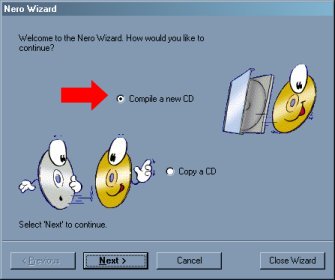
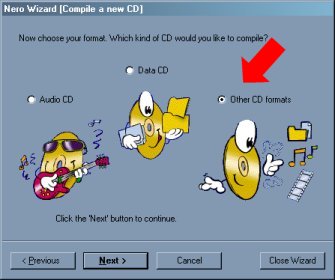
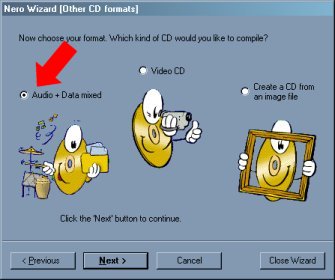
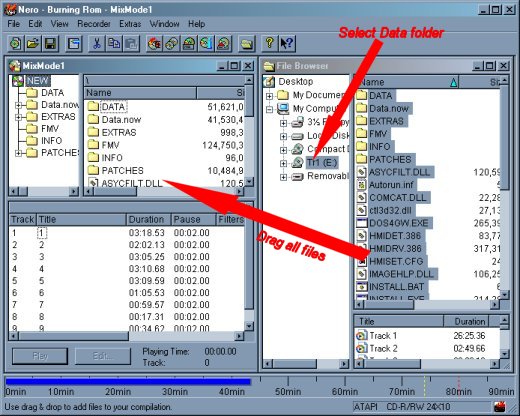
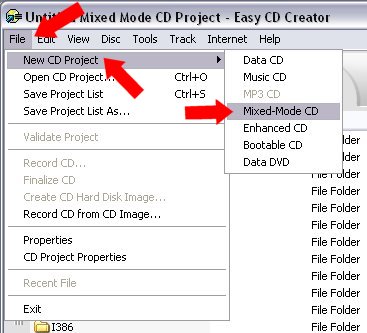
- Start your CD burning software package and select to burn a multi-mode CD.
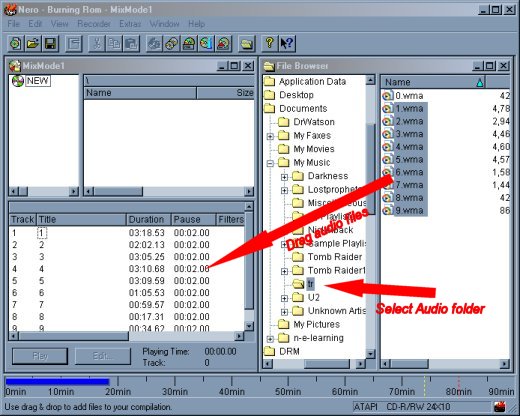
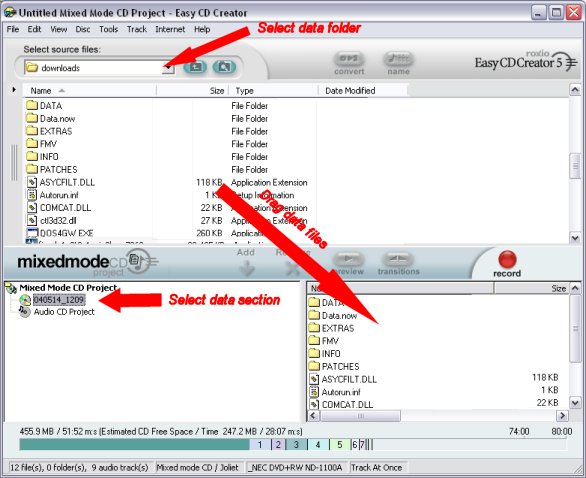
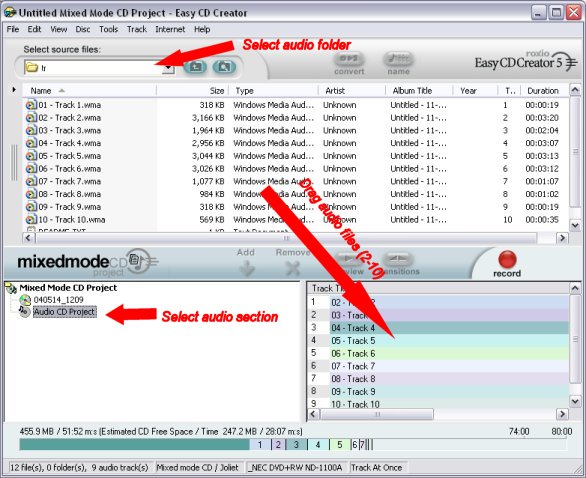
- Copy the TR1 audio files 2 -10* or TR2 audio files 2-61* to the audio section of the project.**
- Copy the TR1 Data files to the data section of the project.
- Burn the CD.
|
|
| |
* Audio Track 1 is a dummy track only for use in method 2. |
|
| |
** The tracks must be ordered numerically otherwise the tracks will be played out of sequence. |
|
| |
|
|
|
| |
Example dialogs for Ahead Nero |
Example dialogs for Roxio CD Creator |
|
| |
|
|
| |
|
|
| |
2) Create a Audio CD (requires 2 CD-ROM drives) |
|
| |
Use this method if you do not have Mixed-mode burning software |
|
| |
|
|
| |
- Download and unzip the audio tracks into a folder on your hard drive.
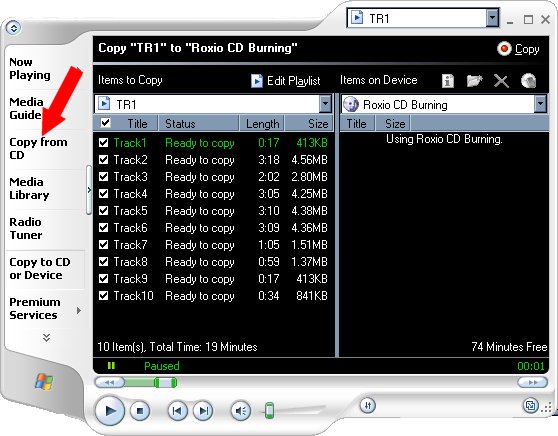
- Open Microsoft Media Player and create a Playlist of TR1 audio tracks 1-10* or TR2 audio tracks 1-61*
- Select "Copy to CD" to burn an audio CD
- Place the Audio CD in the first drive and TR1 CD into the second drive. The Audio will automatically play at the correct points in the game.
|
|
| |
* Track 1 is a dummy track that would normally be the Data files. |
|
| |
|
|
| |
|
|
| |
|
|
| |
|
|
| |
|
|
| |
|
|
| |
|
|
| |
|
|
| |
|
|
| |
|
|
|
|
|
| |
ahead Nero Dialogs |
|
| |
|
|
| |
|
|
| |
|
|
| |
|
|
| |
|
|
| |
|
|
| |
|
|
| |
|
|
| |
|
|
| |
|
|
|
|
|
| |
Roxio CD Creator Dialogs |
|
| |
|
|
| |
|
|
| |
|
|
| |
|
|
| |
|
|